
Want to publish an iPhone or iPad app on the Apple App Store? You need to join the Apple Developer Program.
If you are an independent developer, freelancer, student, or building an app under your own name, you can enroll as an Individual / Sole Proprietor.
This guide explains what you need, how to create your account, and what to do after enrollment.
What Is the Apple Developer Program?
The Apple Developer Program allows developers to build, test, and distribute apps for Apple platforms, including:
- iPhone
- iPad
- Apple Watch
- Apple TV
- Apple Vision Pro
How Much Does It Cost?
The Apple Developer Program generally costs $99 USD per year. The final price may vary depending on your country and applicable taxes.
Always check Apple’s current pricing before payment.
What Do You Need Before Starting?
Make sure you have:
- An Apple Account
- Two-factor authentication enabled
- Your accurate legal name and contact information
- An accepted payment method
How to Create an Apple Developer Account
Step 1: Sign In to Your Apple Account
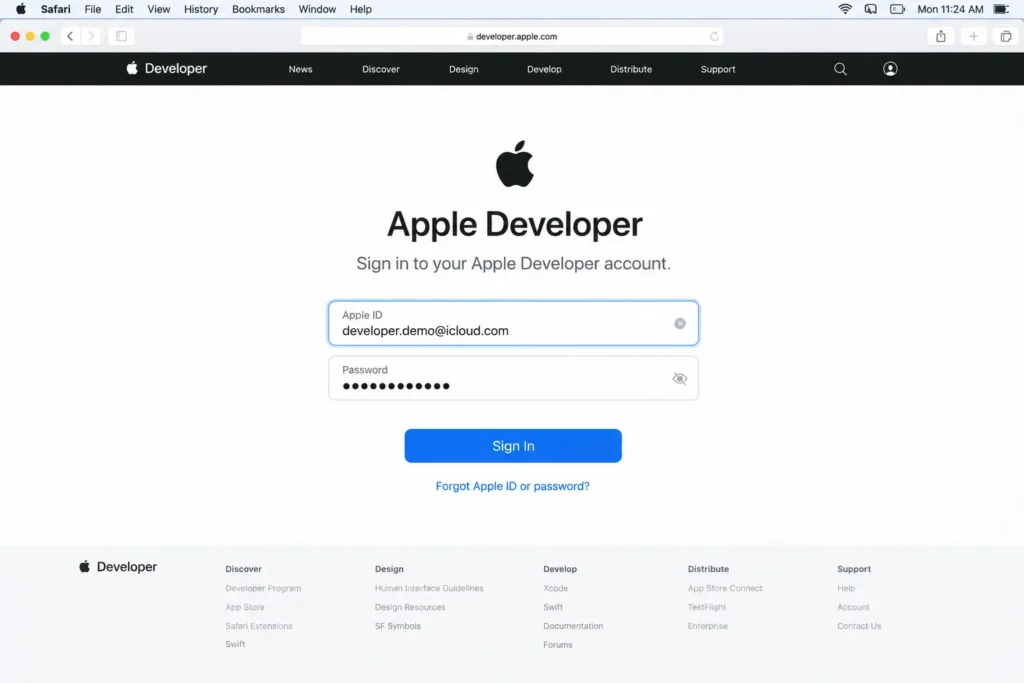
Create an Apple Account or sign in to your existing account.
Make sure two-factor authentication is enabled before continuing.
Step 2: Start Apple Developer Enrollment
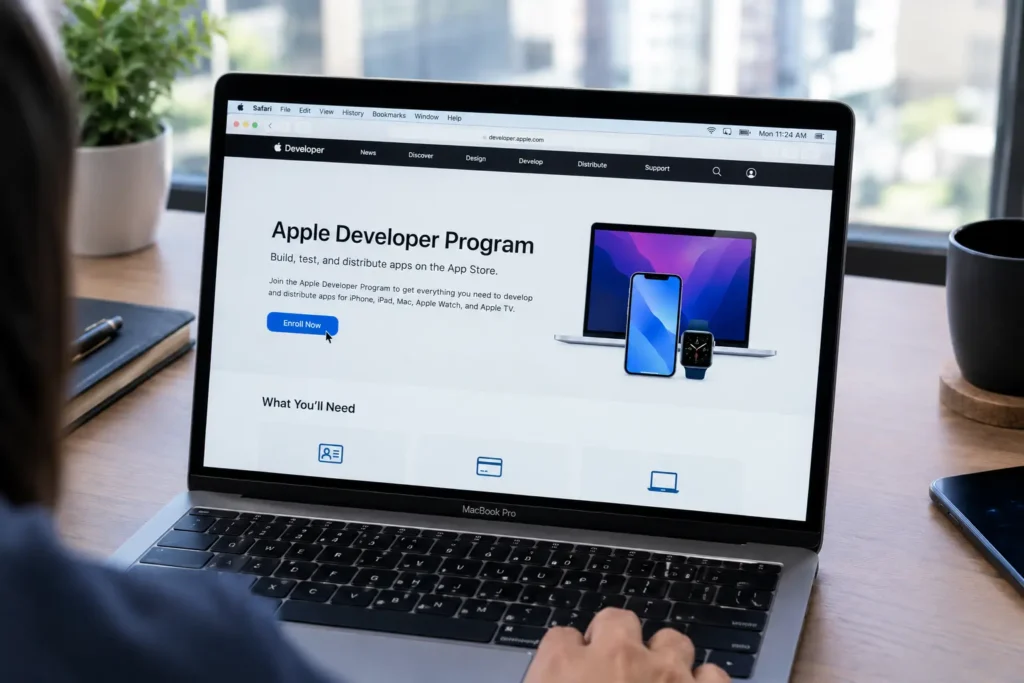
Go to Apple’s Apple Developer Program enrollment page and select Start Your Enrollment.
Sign in with the Apple Account you want to use for your developer membership.
Step 3: Choose Individual / Sole Proprietor
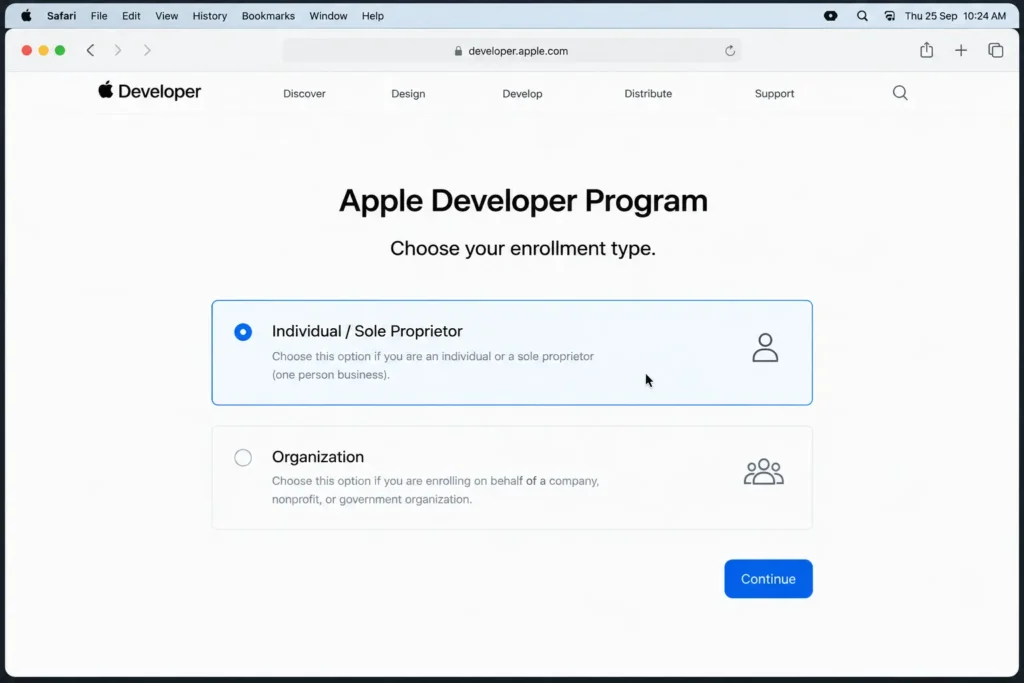
When Apple asks for your enrollment type, select:
Individual / Sole Proprietor
Choose this option if you are registering as yourself rather than representing a registered company.
Step 4: Enter Your Information
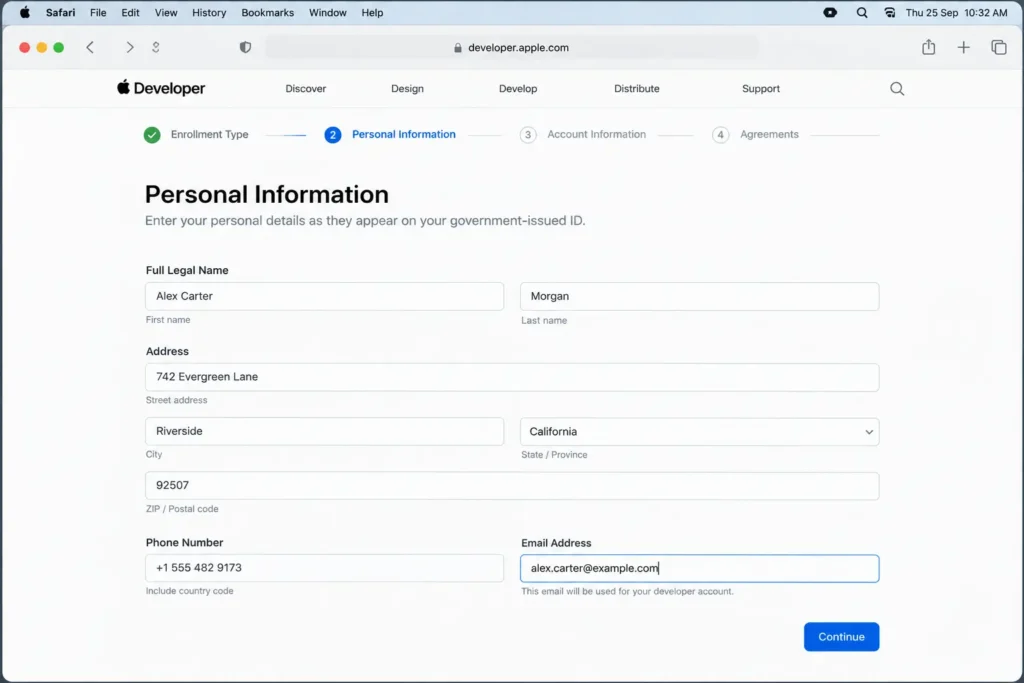
Provide your required legal information, such as:
- Full legal name
- Address
- Phone number
- Email address
Make sure your information is accurate and matches your official details.
Step 5: Accept the Agreement
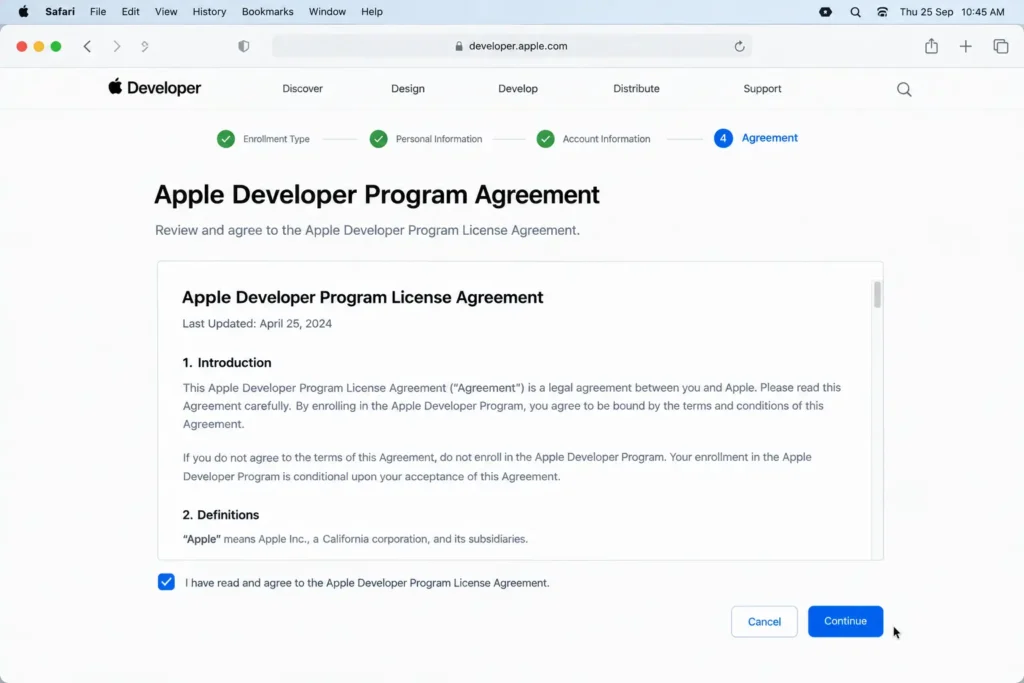
Review Apple’s Developer Program agreement and accept the terms to continue with enrollment.
Step 6: Complete Payment
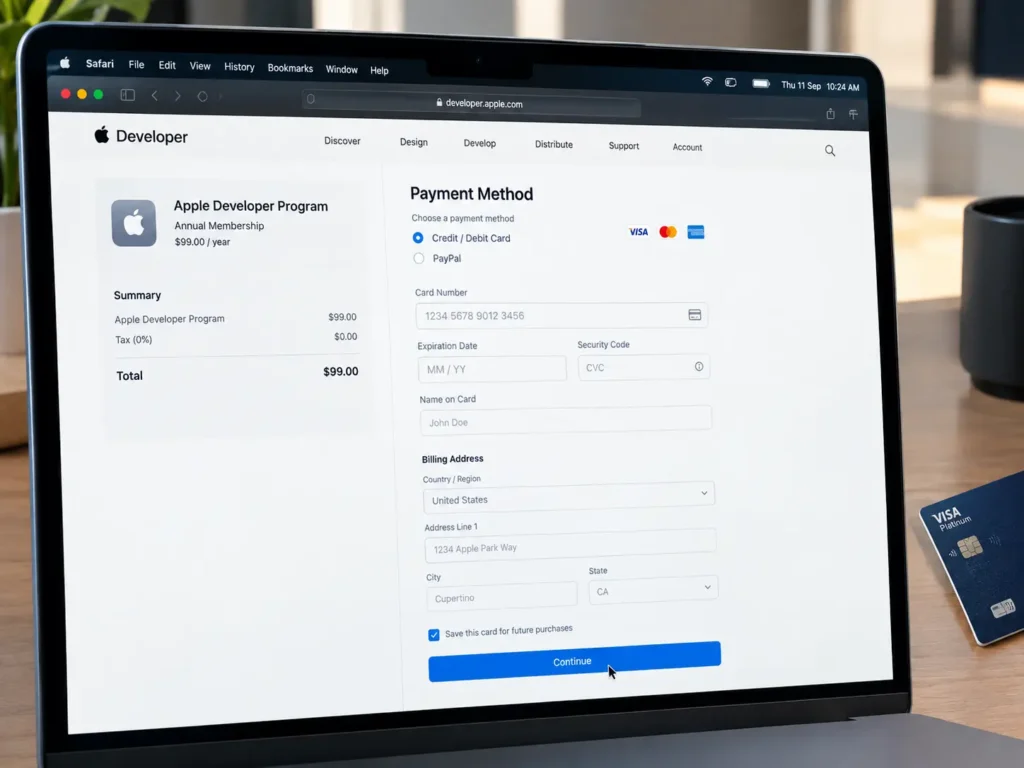
Pay the annual Apple Developer Program membership fee.
The standard membership price is generally $99 USD per year, excluding applicable taxes or regional differences.
Step 7: Wait for Verification
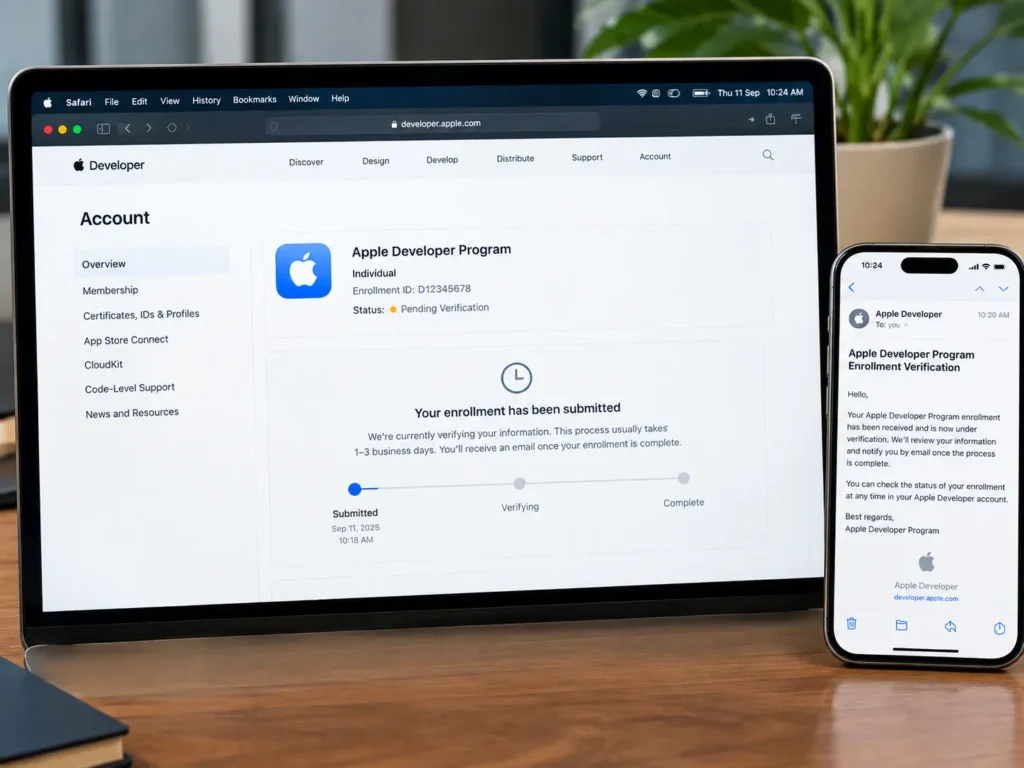
Apple will process your enrollment. You may receive an email requesting additional information or verification.
Once your membership is approved, you can access Apple’s developer services.
What Can You Do After Enrollment?
After your account becomes active, you can use App Store Connect to:
- Create your app listing
- Upload app builds
- Manage screenshots and descriptions
- Use TestFlight for testing
- Submit your app for review
- Manage app versions and analytics
Before publishing, you must also configure your app, complete the required privacy and compliance information, and meet Apple’s App Store requirements.
Individual vs. Organization Account
|
Individual |
Organization |
|
Registered to a person |
Registered to an eligible legal entity |
|
Suitable for personal developers |
Suitable for companies and organizations |
|
Seller name may be the individual’s legal name |
Organization’s legal name may appear as seller |
If you are publishing an app personally, Individual / Sole Proprietor is generally the relevant option.
Important Tips
- Use your real legal information.
- Keep two-factor authentication enabled.
- Keep your Apple Account secure.
- Check your membership status and renewal.
- Review Apple’s latest App Store requirements before submitting your app.
- Make sure your app information accurately represents your application.
Frequently Asked Questions
Can I create an Apple Developer account as an individual?
Yes. Apple provides an Individual / Sole Proprietor enrollment option for personal developers.
How much does an Apple Developer account cost?
The Apple Developer Program generally costs $99 USD per year, subject to regional pricing and taxes.
Do I need a company to publish an iPhone app?
No. You can publish an app as an individual without necessarily establishing a company.
Do I need two-factor authentication?
Yes. Two-factor authentication is required for Apple developer accounts.
How long does Apple Developer enrollment take?
Processing time varies. Some enrollments are completed quickly, while others may require additional verification.
Does a developer account guarantee App Store approval?
No. Your app must still meet Apple’s requirements and pass the applicable App Store review process.
Can I publish my app immediately after enrollment?
Not necessarily. You must prepare your app, complete its App Store information, upload a build, and submit it for review.
Final Thoughts
Creating an Individual Apple Developer account is a simple first step toward publishing your own app on the App Store.
Create your Apple Account, enable two-factor authentication, choose Individual / Sole Proprietor, provide accurate information, complete the payment, and wait for Apple’s verification. If you need assistance with the process, a trusted IT company in Pakistan can help ensure your account setup and developer enrollment are completed correctly.
Once approved, you can use App Store Connect to prepare, test, and submit your app for App Store review.