
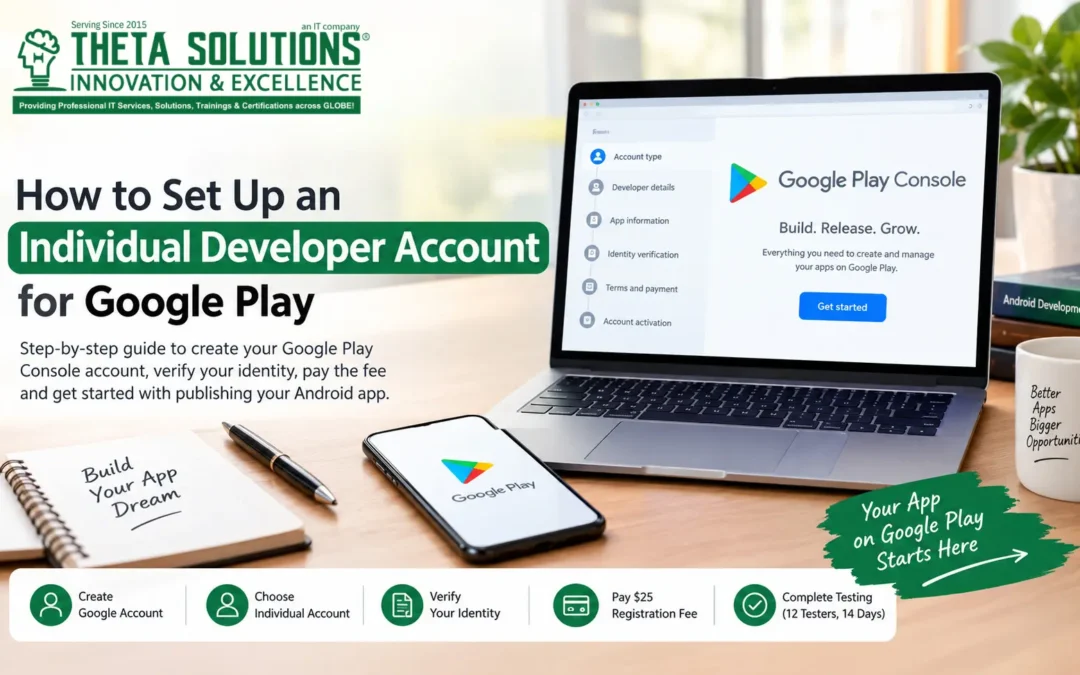
Publishing an Android app on Google Play starts with creating a Google Play Console individual developer account. Whether you are an independent developer, student, freelancer, or building your first mobile app, the registration process is relatively straightforward.
However, Google requires developers to provide personal information, complete identity verification, pay a registration fee, and meet certain testing requirements before an app can be published publicly.
This guide explains the process step by step so you know what to prepare before creating your account.
What You Need Before You Start
Before opening your Google Play Console account, make sure you have the following:
- A Google account
- A government-issued identity document
- A valid phone number
- A debit or credit card
- Your personal contact information
- A developer name you want to display publicly
Google may also request additional information during the identity verification process. Having your documents ready can make registration easier.
Google Play Console Individual Account Fee
Google currently charges a one-time registration fee of $25 USD for a Google Play Console developer account.
This is a registration fee rather than a monthly subscription. You pay it during the account creation process.
Step 1: Open Google Play Console
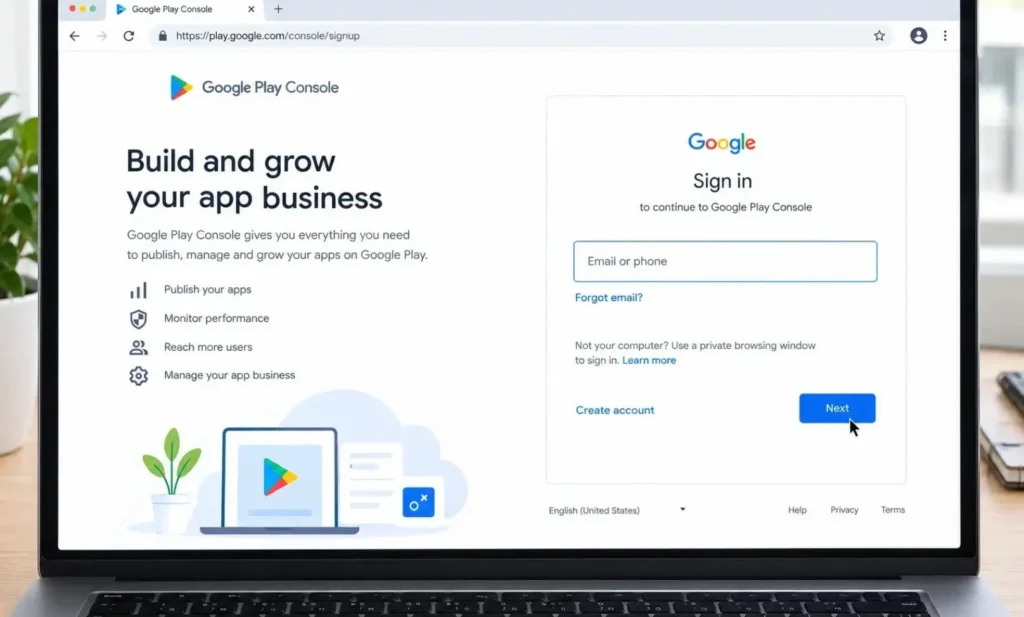
Start by visiting the Google Play Console sign-up page and signing in with the Google account you want to associate with your developer account.
Choose an account that you expect to keep using for your app development activities. Changing ownership or account details later may require additional verification or specific procedures.
Step 2: Select Individual Account
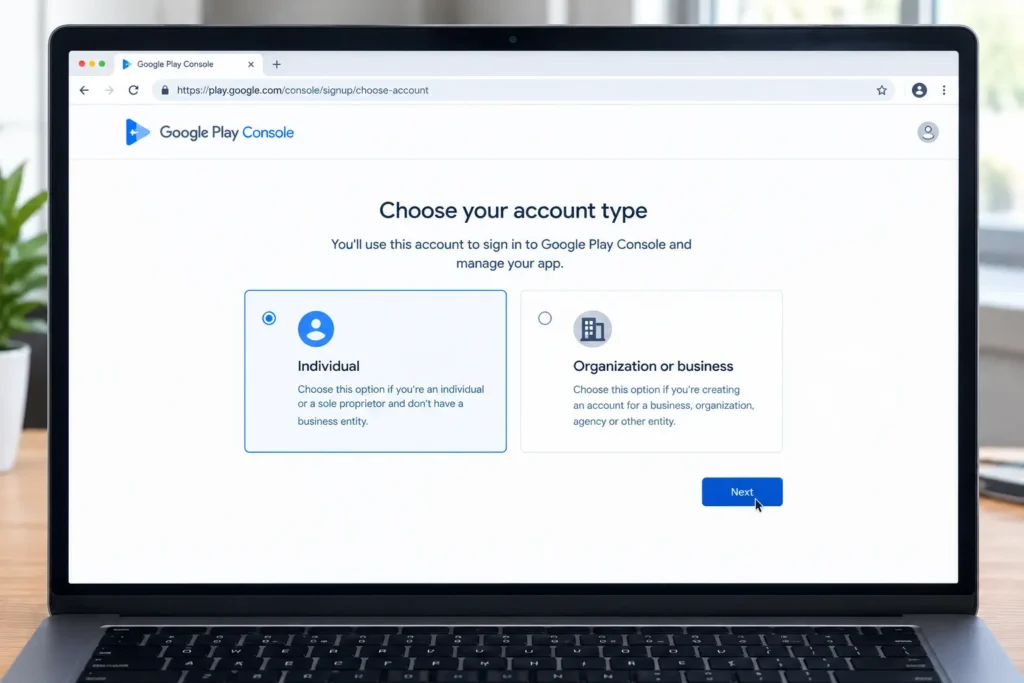
During registration, Google will ask how you intend to use the Play Console.
Select the individual account type if you are registering as an independent developer rather than representing a company or organization.
An individual account is generally suitable for developers publishing apps under their own name or personal developer profile.
Step 3: Enter Your Developer Information
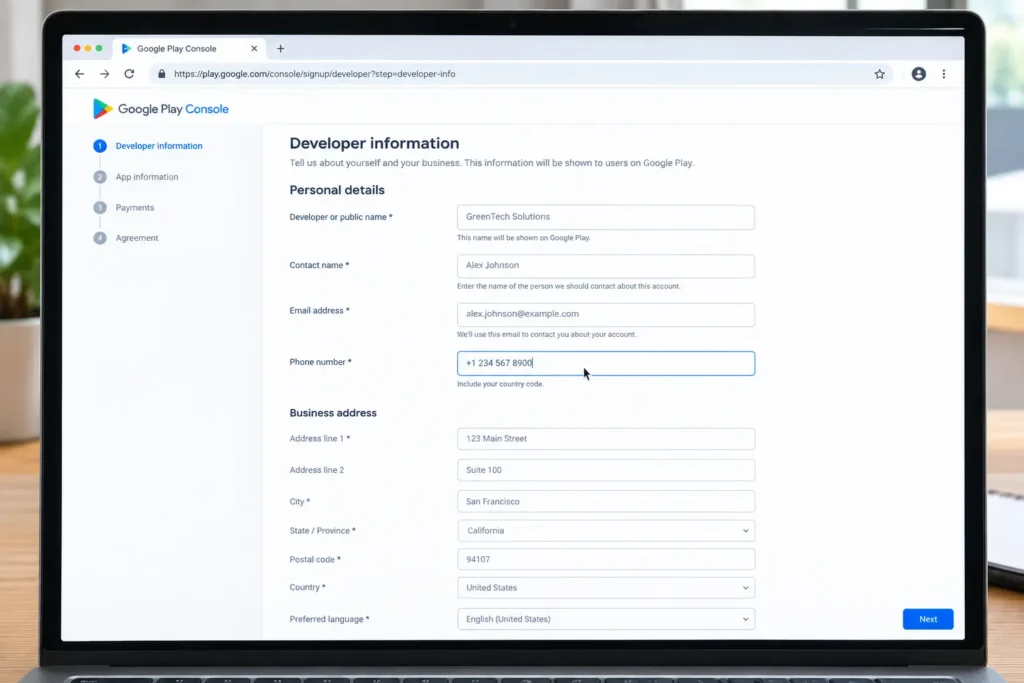
You will need to provide information associated with your developer profile.
Depending on Google’s current registration requirements, this may include:
- Developer or public name
- Contact name
- Email address
- Phone number
- Contact address
- Preferred language
Make sure the information you provide is accurate and consistent with your verification documents.
Your developer or public name can be different from your personal name and may be displayed to Google Play users.
Step 4: Tell Google About Your App Plans
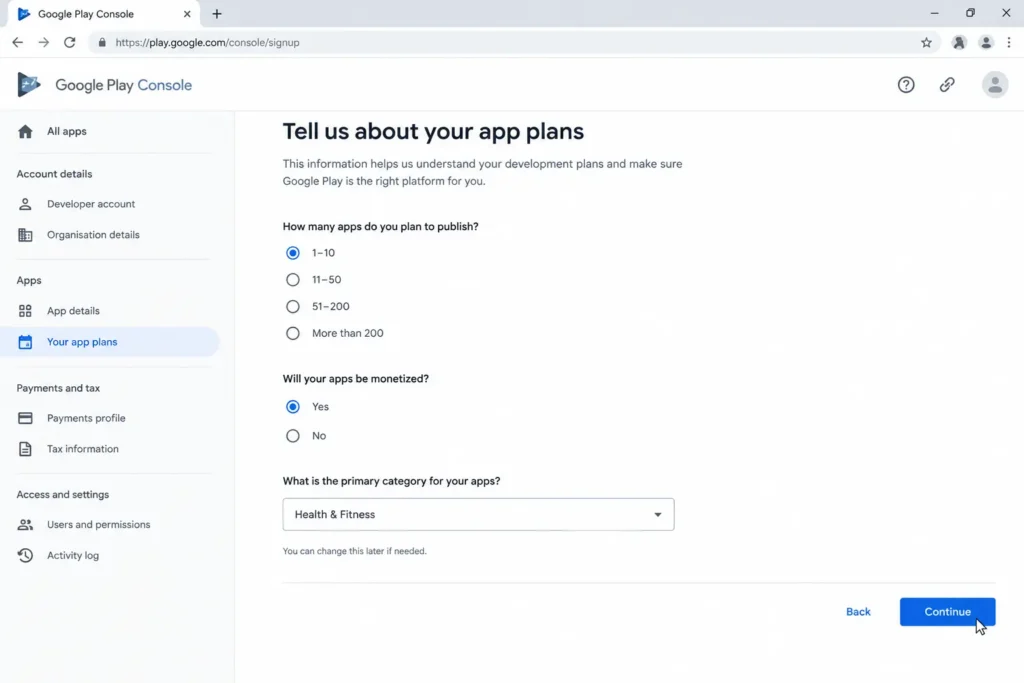
Google may ask several questions about how you intend to use Google Play.
For example, you may be asked about:
- The number of apps you expect to publish
- Whether you plan to monetize your apps
- The general category of your apps
These questions help Google understand your intended use of the platform. Your answers do not necessarily lock you into a particular type of app or business model.
Step 5: Complete Identity Verification
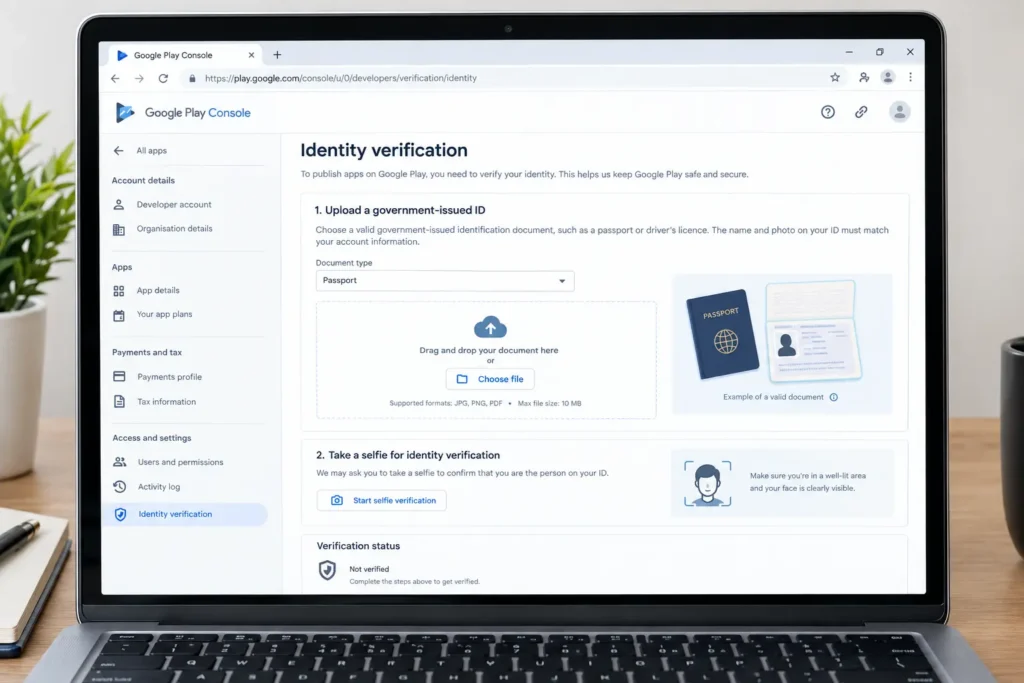
Identity verification is an important part of creating a new individual developer account.
You may need to upload a valid government-issued identification document. Depending on your location and Google’s verification requirements, you may also be asked for a selfie or another supporting document.
Before submitting your information, carefully check that your name and other personal details match your official documents.
Incorrect or inconsistent information can delay the verification process.
Step 6: Accept the Agreements and Pay the Registration Fee
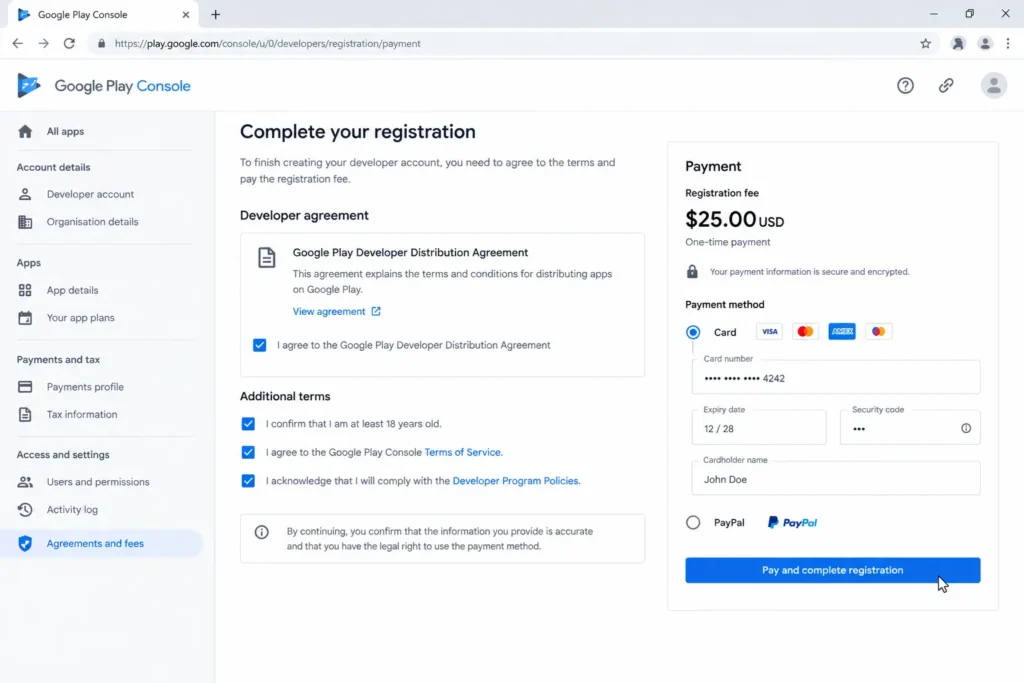
After entering your information and completing the required verification steps, review Google’s developer agreements and terms.
You will then need to complete the registration payment.
The Google Play Console individual developer account requires a one-time $25 USD registration fee. A supported debit or credit card can be used to complete the payment.
After submitting the payment and required information, Google will process your developer account registration.
Step 7: Wait for Your Account to Be Activated
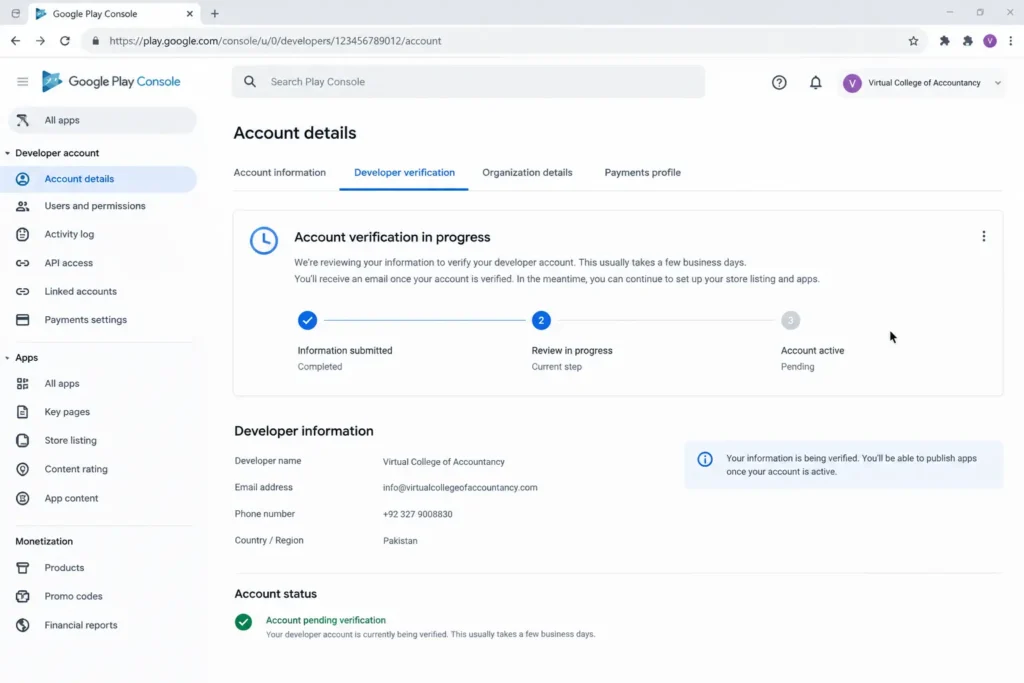
- Once registration and verification are complete, your Play Console account can become available for use.
- Some accounts may be activated relatively quickly, while others can take longer if additional verification is required.
- Keep an eye on the email address connected to your Google account for updates from Google.
- Once your account is active, you can access Play Console and begin preparing your Android application for publication.
Important Requirement for New Individual Accounts
Creating your developer account is only the beginning. New individual developer accounts may also have testing requirements before an app can be released to production.
For applicable new personal accounts, Google requires a closed test with at least 12 testers who remain opted in continuously for 14 days before requesting production access.
This means developers should plan their testing period before expecting to launch an app publicly.
A proper testing plan can help you identify bugs, usability problems, crashes, and other issues before your application reaches a wider audience.
What Happens After Account Setup?
Once your developer account is ready and you meet the applicable testing requirements, you can start preparing your app for Google Play.
Typical steps include:
- Creating your app in Play Console
- Uploading your Android App Bundle
- Adding an app name and description
- Preparing screenshots and promotional assets
- Completing the required app content information
- Setting up pricing and distribution
- Testing the application
- Reviewing Google’s policies
- Submitting the app for review
Taking time to complete each section accurately can make the publishing process easier and help prevent avoidable delays.
Common FAQs about Google Play account
How much does a Google Play individual account cost?
Google charges a one time $25 USD registration fee for a Google Play Console developer account.
Do I need a company for an individual account?
No. An individual account is designed for developers who are registering personally rather than representing an organization.
Do I need ID to create the account?
Yes. Google requires identity verification for new developer accounts, and you may need to provide a government issued identity document and additional verification information.
How long does account verification take?
The time can vary. Some registrations may be processed quickly, while others can take longer if additional verification is required.
Can I publish an app after creating the account?
Not necessarily. New individual developer accounts may need to complete Google’s required closed testing process before they can request production access.
How many testers are needed for closed testing?
For applicable new personal developer accounts, Google requires at least 12 testers to remain opted in continuously for 14 days before production access can be requested.
Final Thoughts
Setting up an individual Google Play developer account is a straightforward process when you have the required information and documents ready. The main steps include choosing an individual account, providing accurate personal information, completing identity verification, paying the registration fee, and following Google’s testing requirements.
If you are preparing to publish your first Android application, it is a good idea to complete the account setup and testing requirements early. Working with an award-winning IT company in Pakistan can also help you navigate the technical setup and resolve verification or testing issues before your planned launch date.