
Have you ever sent an email that was important for your work, business, or career and then waited for a reply that never came?
Most people think the reason is:
- The client is busy
- The message was not read
- The email went to spam.
But many times, the real reason is much simpler.
Your email does not look professional enough.
When someone opens an email, they judge it in just a few seconds. If the email looks incomplete or casual, they may not take it seriously. This is where an email signature becomes very important. We also receive many emails daily, and 90% of them get ignored due to the given reason.
If you send emails for work in Outlook, then this blog will help you understand why an email signature matters, who really needs it, and how you can set it up easily. If you have just started your business or want to grow your business online, visit our “Digital Marketing and Website Development Services” to grow your business and get more leads and sales. But stop!
Don’t Hire a Software Company for Your Business Before Reading This Guide
If You Are Facing These Situations, Keep Reading
This blog is especially for you if:
- You send emails daily for work or business
- People ask you again and again for your phone number or website
- Your emails look different every time
- You are a small business or freelancer but want to look professional
- Your follow-up emails do not get replies.
If even one of these feels familiar, an email signature can help you a lot.
What Is an Email Signature?
An email signature is a fixed block of information that appears automatically at the end of your email. Instead of typing your details again and again, Outlook adds them for you.
Normally, an email signature includes:
- Your full name
- Your job title or role
- Your company or business name
- Your phone or WhatsApp number
- Your website or portfolio link
You can think of it as a digital business card that goes with every email you send.
Why Is an Email Signature Important?
Many people think email signature is optional. In reality, it is very important if you communicate professionally.
It Makes Your Emails Look Professional
When someone opens your email and sees clear details at the end, it creates a good first impression. It shows:
- You are serious about your work
- You are organised
- You respect professional communication
Even a short email looks complete when it has a proper signature.
It Saves Your Time
Without a signature:
- You type your name
- Then your phone number
- Then your company name
You repeat this many times every day.
With an email signature:
- You set it once
- Outlook adds it automatically
This saves time and also avoids typing mistakes.
It Builds Trust With the Reader
Emails without contact details often look incomplete or unreliable. When people see:
- A real name
- A real company
- A real contact number
They feel more confident replying to you.
This is very important for:
- New clients
- First-time conversations
- Sales or enquiry emails
It Helps With Branding
Even if you are a small business or a solo freelancer, a good signature helps you look established.
With a consistent signature:
- Your company name stays in the reader’s mind
- Your website gets more visits
- Your brand looks serious
Over time, this builds recognition without extra effort.
It Supports Sales and Follow-Ups
An email signature quietly supports your sales process.
For example:
- A client can click your website directly
- A lead can save your contact number easily
- A prospect can understand who you are without asking
This increases the chance of replies and conversions.
Who Should Use an Email Signature?
An email signature is useful for anyone who sends emails for professional reasons. This includes:
- Business owners
- Freelancers and consultants
- Sales teams
- Marketing professionals
- Office staff
- HR and recruitment teams
- Startups and small businesses
If emails are part of your daily work, an email signature is a must.
Common Problems You May Face and How it Solves Them
Many people face problems but do not know the solution is this simple.
- Emails look unprofessional
- A clean signature fixes this immediately
- Contact details are missing
- Signature adds them automatically
- Emails look different every time
- Same signature keeps consistency
- Branding is weak
- Signature improves brand visibility
- Low response from follow-ups
- Signature builds trust and clarity
How to Create and Add an Email Signature in Outlook
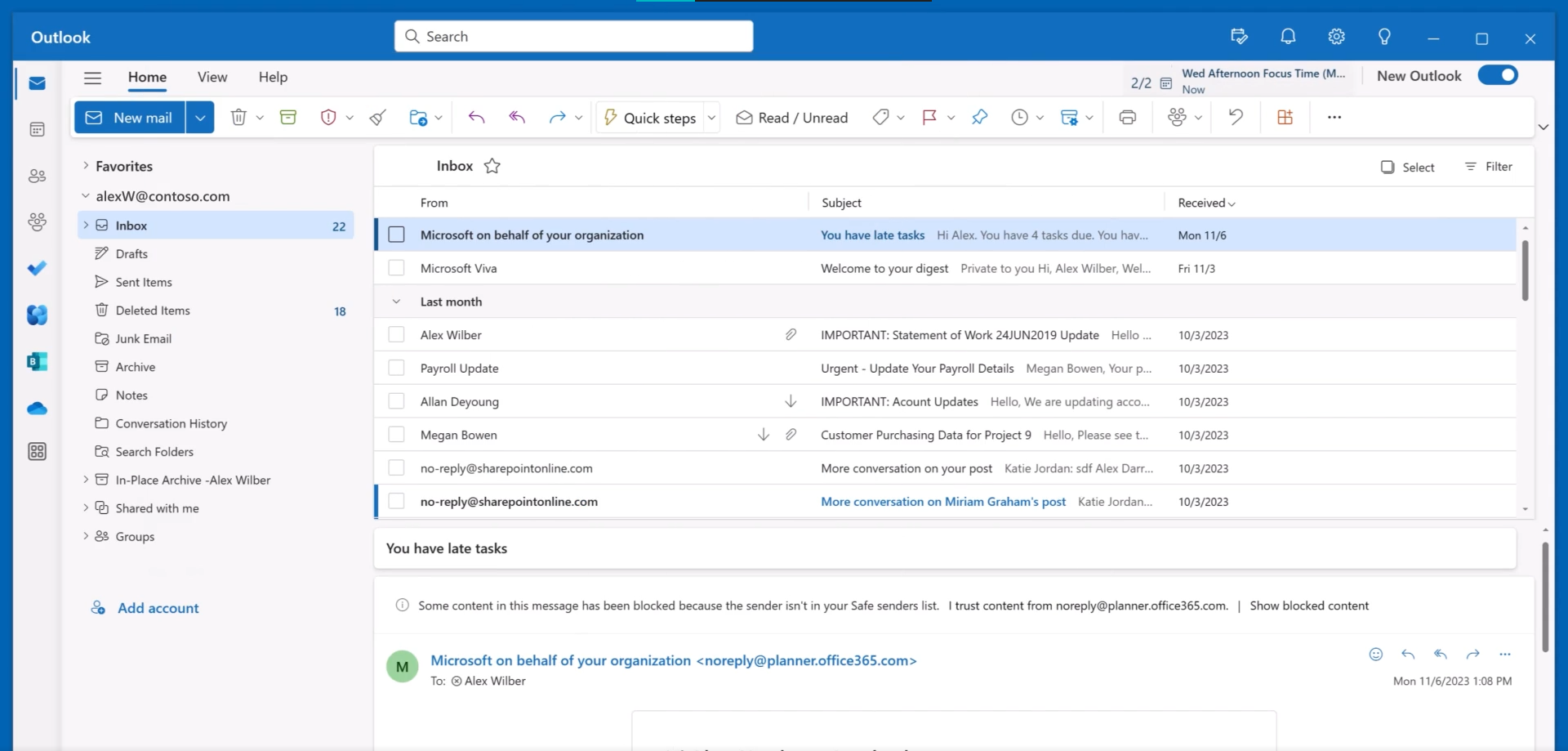
You do not need any technical knowledge to do this. In Outlook, you can create one or more personalized signatures for your email messages. Your signature can include text, links, pictures, and images (such as your handwritten signature or a logo). Here are the steps that you can follow to create the outlook signature.
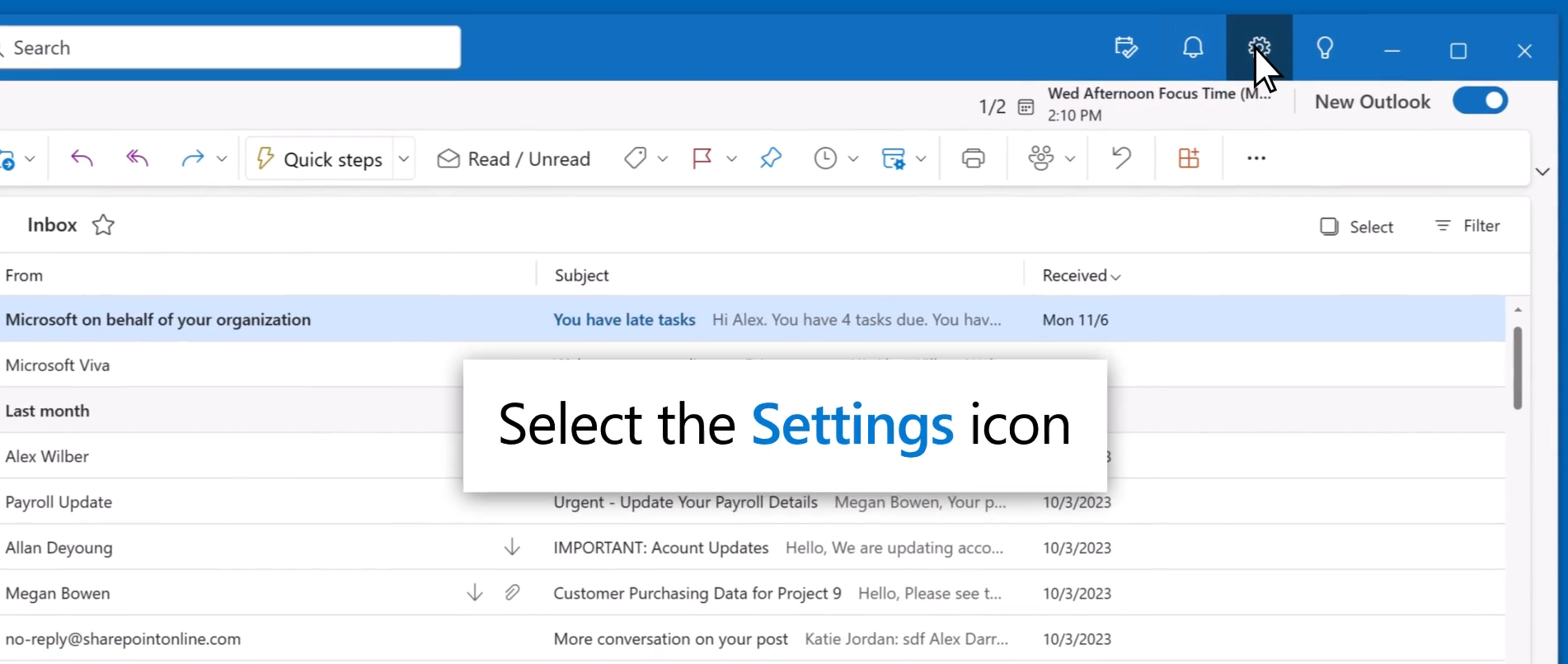
1: Select Settings
2: Select Accounts > Signatures.
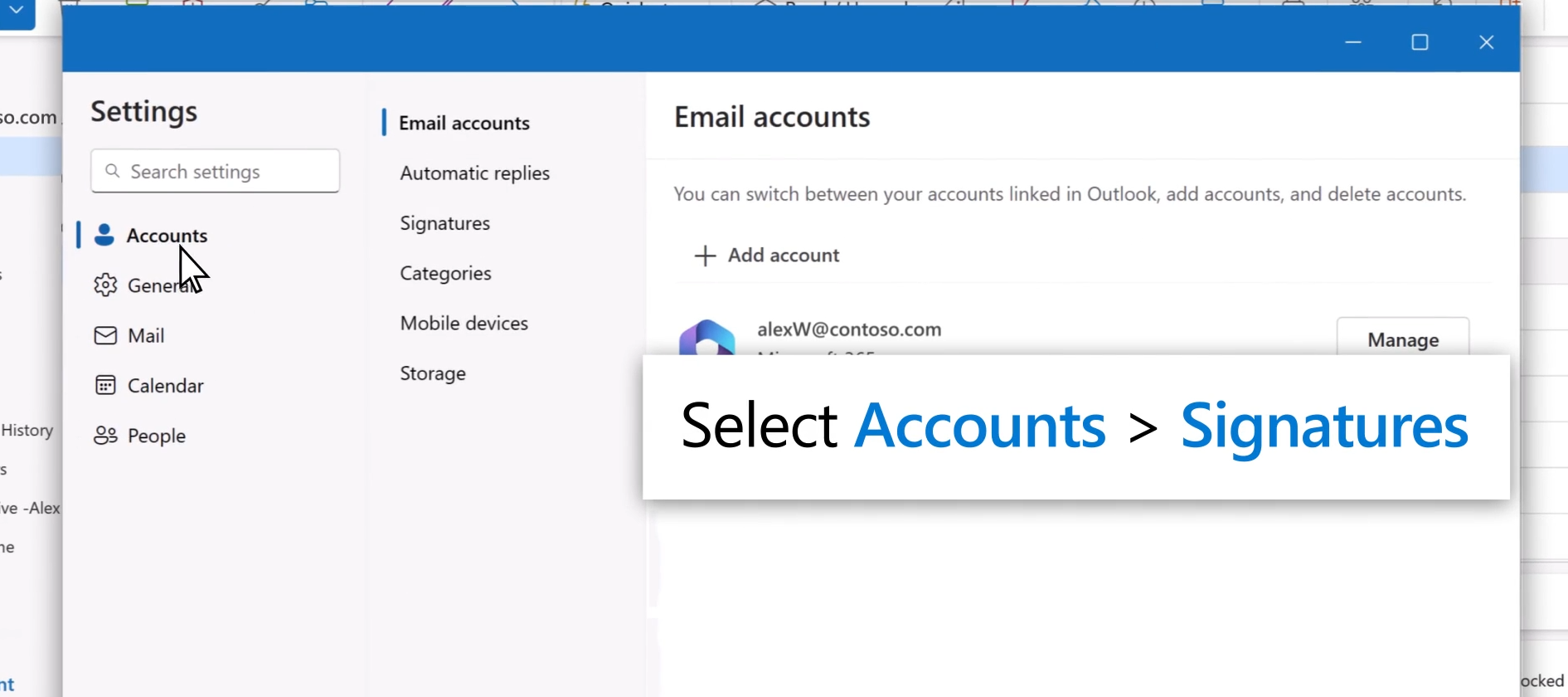
3: If you have more than one account added to new Outlook, select the account you want to apply your email signature to.
4: Select Add signature, then give it a distinct name.
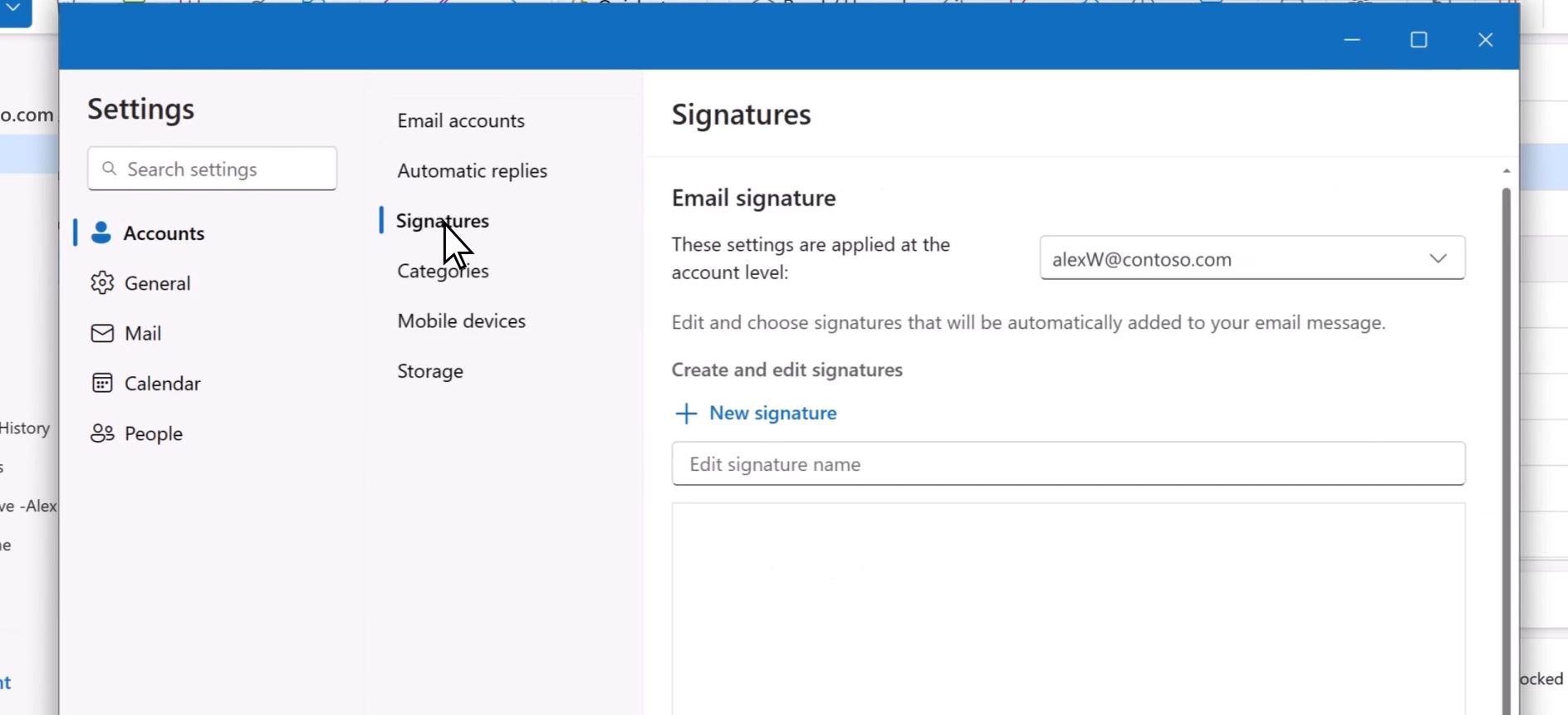
5: In the editing box below the new name, type your signature, then format it with the font, color, and styles to get the appearance you want.
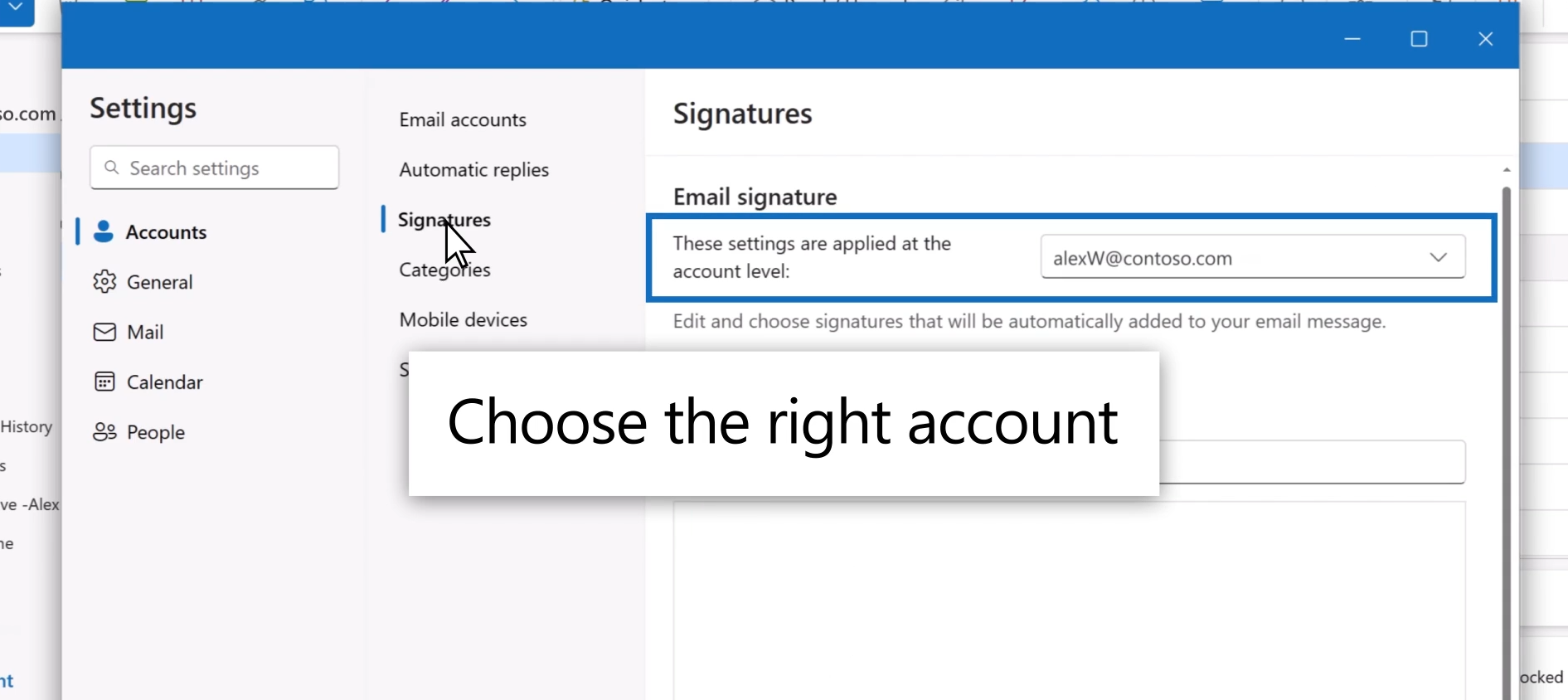
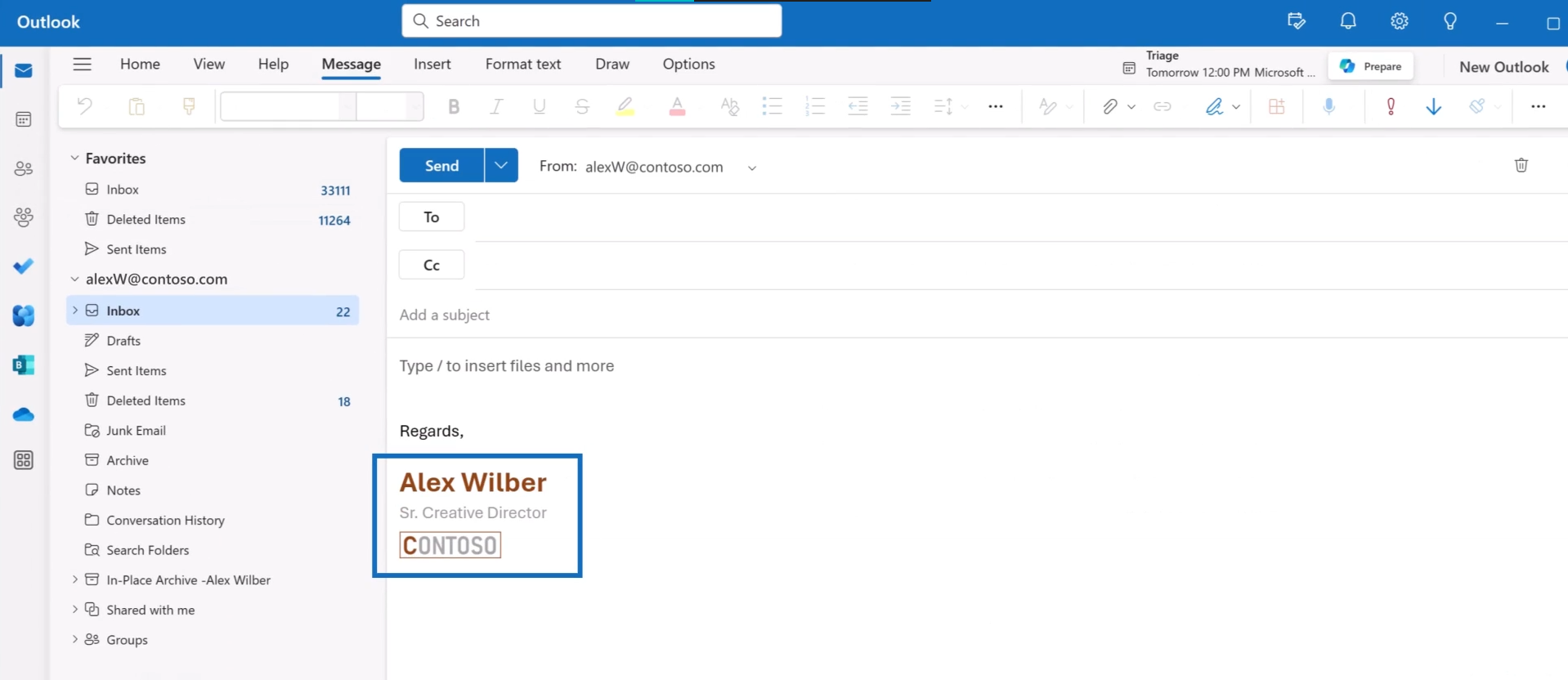
6: Use the checkboxes at the bottom to choose whether to apply the signature to new messages and to replies and forwards. Or leave them blank and add the signature you want when composing a message.
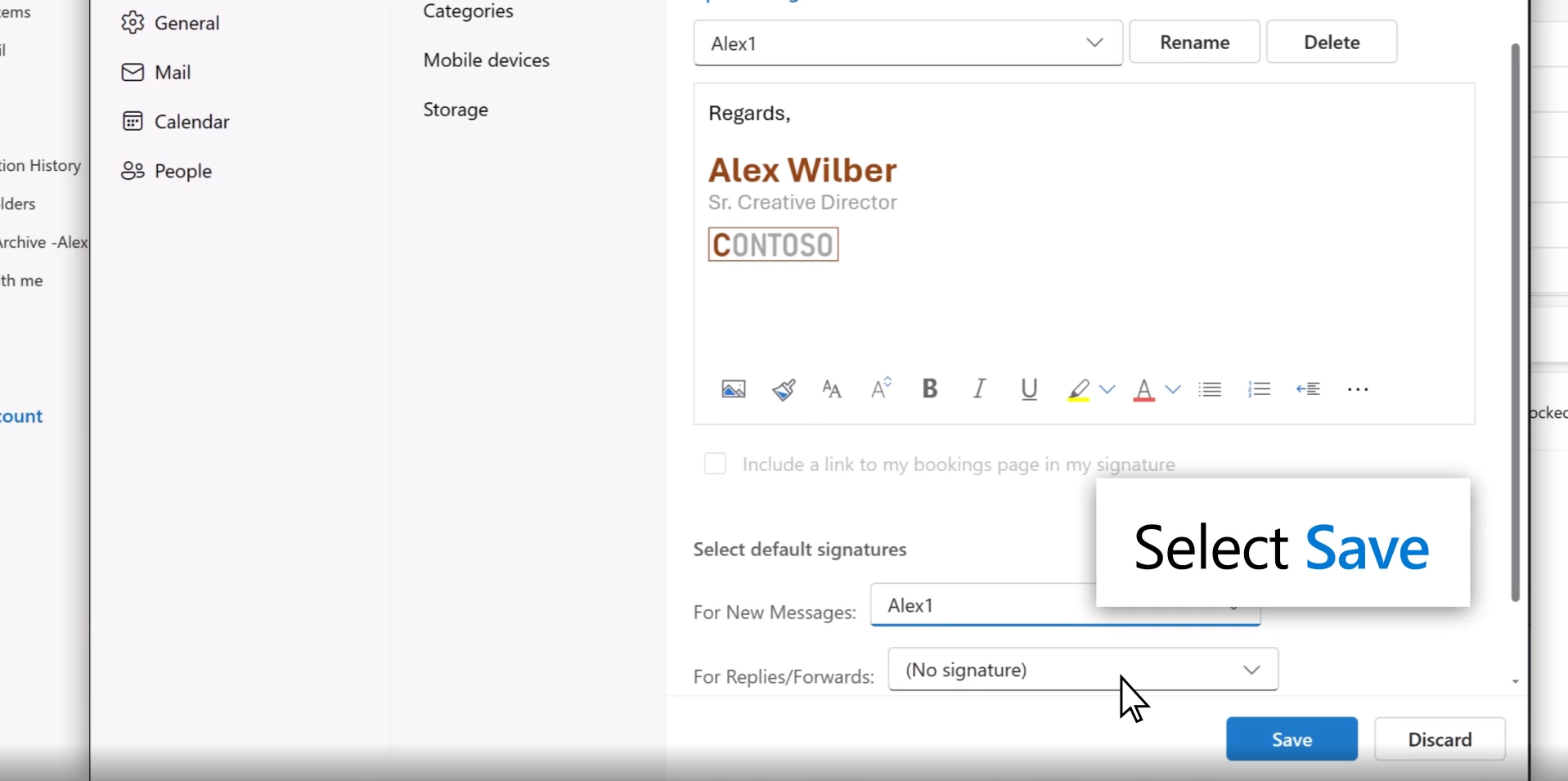
7: Select Save when you’re done.
Mistakes You Should Avoid in Email Signatures
Many people overdo it. That creates problems.
Avoid:
- Writing very long text
- Adding unnecessary quotes
- Using too many fonts
- Adding too many links
- Making it look crowded
Simple and clear always works better.
Simple Tips for a Better Email Signature
Keep these points in mind:
- Use clear and readable text
- Keep information limited but complete
- Make sure it looks good on mobile
- Use one clear contact method
- Stay consistent with your business identity
Final Thoughts
An email signature may look like a small detail, but it plays a big role in professional communication.
It helps you:
- Look more professional
- Save time
- Build trust
- Improve responses
- Represent your work properly
If you want people to take you seriously, your emails should reflect that.
Need Help With a Professional Email Signature?
If you want a clean and professional email signature that represents your business properly and works smoothly in Outlook, we can help with:
- Signature design
- Proper setup
- Branding alignment
Your emails speak for you; make sure they speak professionally. Contact us now for getting more leads, orders and increasing sales.